






Card Payments Come to ApeX Omni
Getting started used to mean bringing crypto with you. Now you can start with cash.
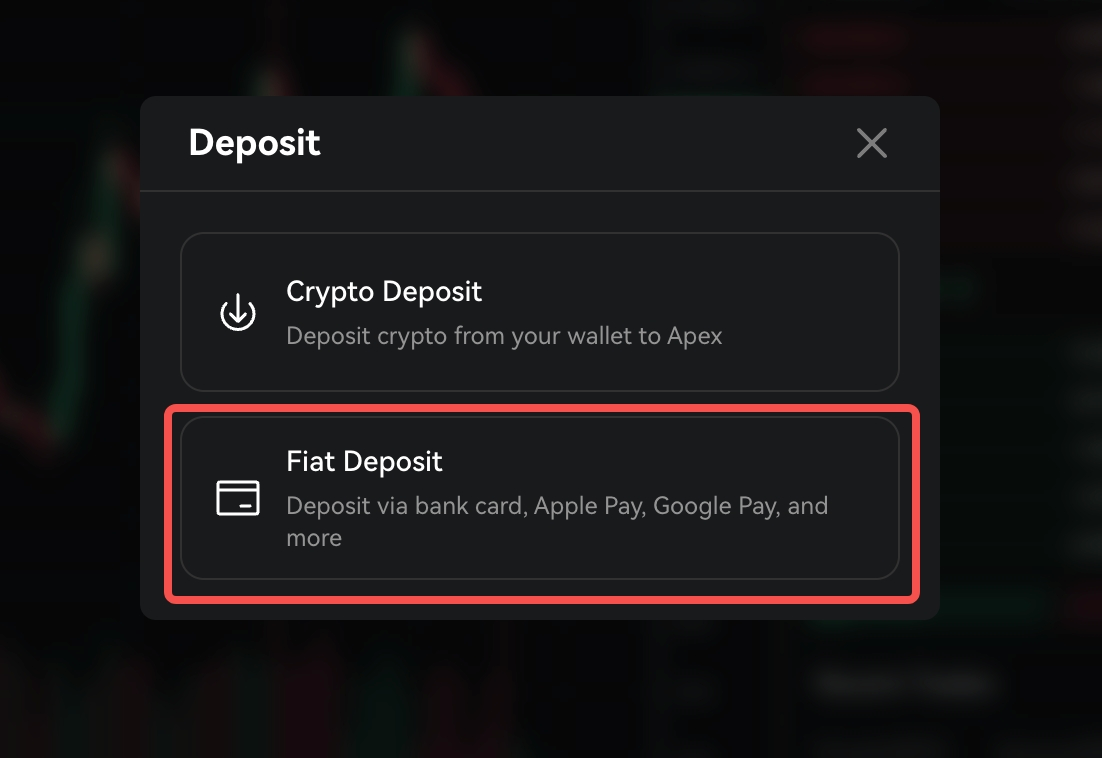
Deposit with the payment methods you already use: Visa, Mastercard, Apple Pay, and Google Pay. The options you see depend on the currency you pick.
Getting Started Takes Just an Email Account
This first phase is open to users who registered an Omni account by email.
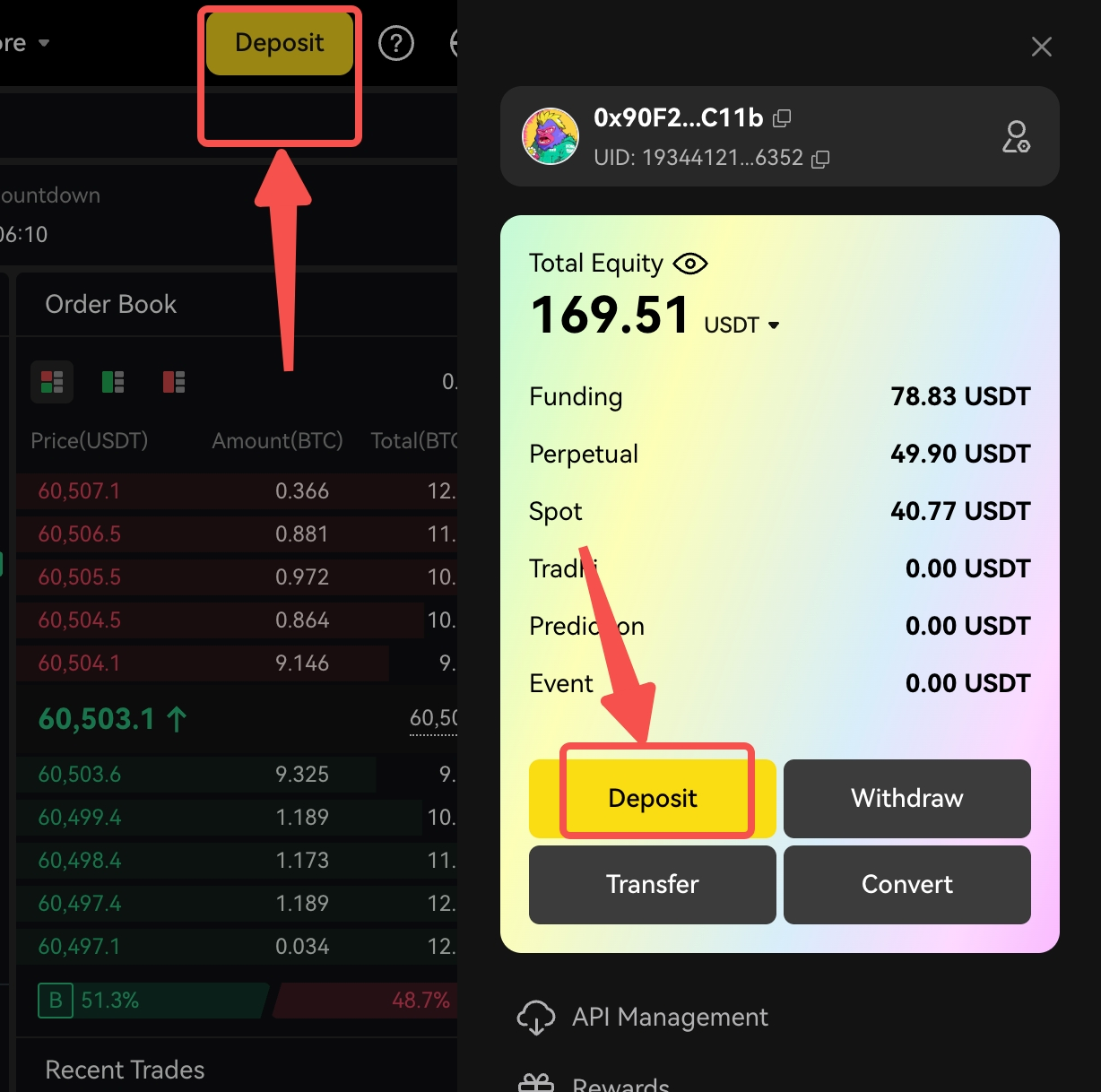
Finding it is simple. On Web or in the app, open the Deposit section and choose Fiat Deposit. Pick your currency, enter an amount, and confirm. First-time users complete a quick verification, and after that, repeat deposits are even faster.
Your Details Stay With Alchemy Pay
Verification is handled entirely by Alchemy Pay, our payment partner. ApeX Omni does not collect, store, or record any of your identity details. Your card and personal data stay confidential with them.
More Is on the Way
This is the first step. Support for standard wallet addresses is coming next, followed by fiat withdrawals, so you can cash out the same easy way you funded in.
Read the Full Guide
Want the complete walkthrough, supported currencies, and country list? It is all on our GitBook: https://apex-pro.gitbook.io/apex-pro/apex-omni/onboarding/fiat-deposits
If you need any help, feel free to reach out to our team on Discord.
We appreciate your continued support.