


Let your trades do the talking. ApeX Omni is leveling up your social game — introducing X Account Linking and the all-new Position Poster feature, designed to help you share your trading wins (and learnings!) with your followers in style.
At ApeX, we believe trading isn’t just about the charts — it’s also about the clout. These new features are built to boost your visibility as a trader, and help you build your trading identity right on X.
🔗 Link Your X Account — Become a Verified Omni Trader
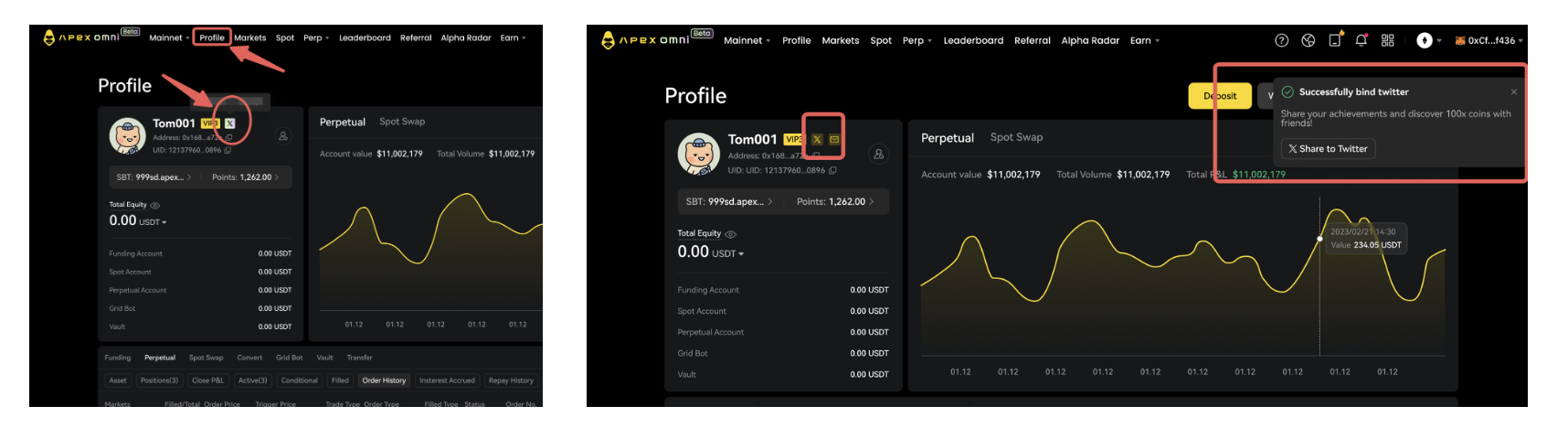
You can now link your X (Twitter) account to your ApeX Omni account for a seamless and personalized experience.
Here’s how it works:
One X account per wallet: Your X handle becomes your trading identity.
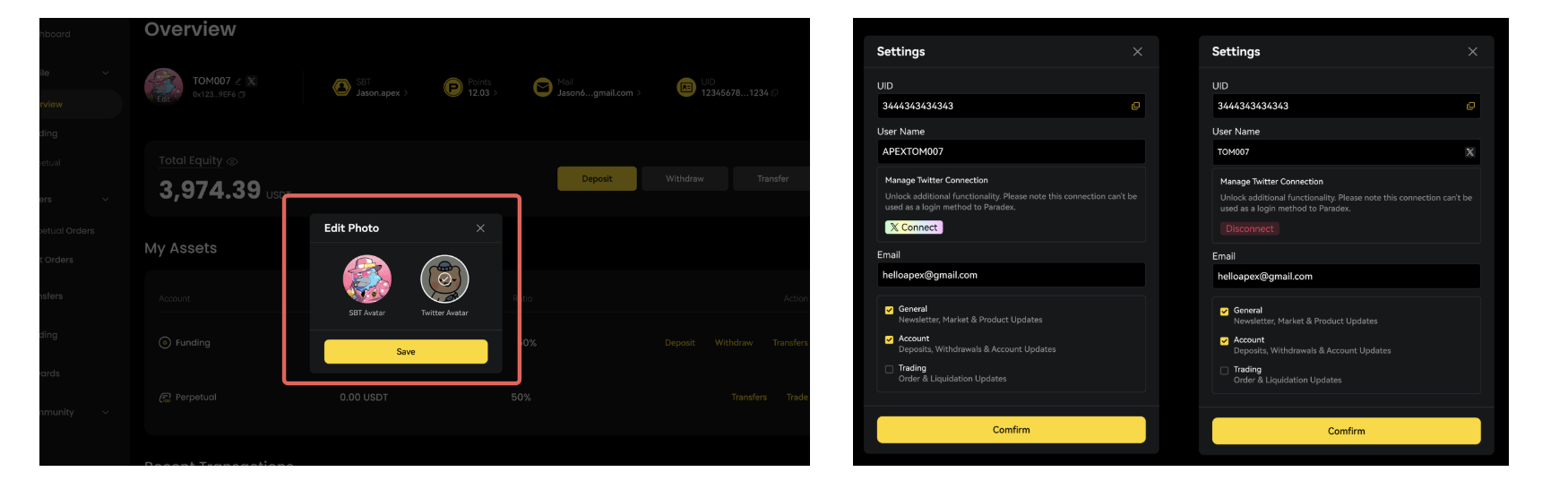
Auto-update profile: Once linked, your nickname and avatar will mirror your X account (with the option to switch back to your SBT avatar).
Manage everything in Settings: Link, view, or unlink any time via your Account Settings.
✨ Bonus: Linking your X account adds extra credibility when you share trades on social media — let your community know it’s really you.
📸 Say Hello to the Position Poster
Now you can generate sleek trading posters to showcase your Spot and Perp positions in real time — and share them directly on X.
What’s in the poster:
ApeX logo + your linked X handle (if connected)
Key trading stats:
Spot: Token, ROI, Entry & Current Price
Perps: Pair, ROI, Entry, Current Price, Leverage
Customization options:
Toggle ROI or PnL display
Upload your own background image
Plus: Download your poster in a tap
It's more than a screenshot — it's your trading brand.

Whether you’re flexing that 1,000% ROI or documenting your journey, these posters make your trades social-media ready.
🚀 How to Get Started
Go to your Omni Account Settings
Link your X (Twitter) account
Visit your position history and tap “Share Poster”
Customize and post!
Join the wave of traders making their mark on social. Link your X account and start sharing your trades today — because the world deserves to see your hustle.
✨ Ready to show off?
Link your X account on ApeX Omni and start posting your trades now. Your next big win might just go viral.