






Prediction Spot Now Supports Auto Redeem
Previously, a settled prediction event did not mean your funds were ready to use. You had to redeem each winning position by hand. Miss that step, and your funds sat idle.
Auto Redeem removes it. Once enabled, funds from successful predictions are automatically credited back to your Prediction account. The feature is live on ApeX Omni web and in app version 3.67.0.
On web, the Auto Redeem authorization is offered through a pop-up in two scenarios:
Scenario 1: When you connect your wallet.
Scenario 2: When you redeem rewards after your wallet is already connected.
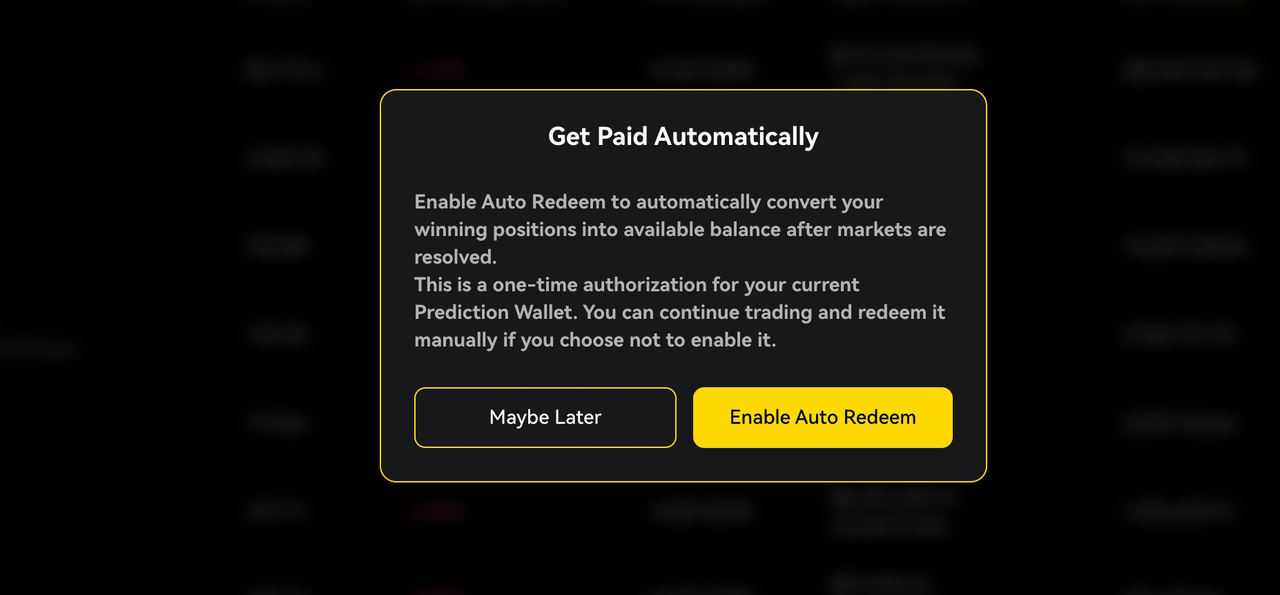
Enable the authorization once and the pop-up will not appear again. Every future winning prediction returns to your account automatically, ready for your next position.
TRON USDT Deposits Are Now Live on Omni H5
Omni H5 now supports USDT deposits on the TRON network. TRON is one of the most widely used networks for USDT transfers, so this gives many users a more familiar route into ApeX.
When depositing, make sure you select TRON as the network and send USDT from a TRON-compatible wallet or exchange. Sending on the wrong network can result in lost funds.
Where Can I Find Fiat Deposits in App Version 3.67.0?
The fiat deposit entry has been updated in app version 3.67.0. You can now reach it from two new places:
App Banner: Tap the fiat deposit banner on the home screen.
Announcements section: Find the fiat deposit entry alongside the latest ApeX updates.
These entry points make it quicker to go from fiat to trading without digging through menus. Update to version 3.67.0 to access the new layout along with Auto Redeem.
If you need any help, feel free to reach out to our team on Discord.
We appreciate your continued support.